10 credential verification services, compared on speed and portability
A practical comparison of 10 credential verification services: how fast each one verifies, whether the check survives a printout, how revocation works, and what it costs to run a pilot.
Riya Sharma
Co-founder & CEO, CertSeal

Manual checks work fine until they don’t. A training team needs badges out by Friday. A university needs certificates that can be confirmed from outside its own inbox. A compliance manager has to check forty credentials and every one turns into a scavenger hunt through email. That’s the point where credential verification services stop being a nice-to-have and start behaving like operational infrastructure.
The decision comes down to three things: speed, security, and portability. A credential has to verify quickly when someone opens it on a phone, safely when a reviewer scans it from outside your systems, and reliably after it’s been printed, forwarded, screenshotted, or posted on LinkedIn. Storing records is the easy part. What separates the platforms is instant checking, revocation, cryptographic proof, and workflows that still hold up when people leave and systems change.
The pressure is real and measurable. HireRight’s 2025 Global Benchmark Report found that more than three-quarters of businesses uncovered at least one candidate discrepancy during screening in the previous 12 months, with education and employment claims among the most common — and in EMEA, 47% of respondents specifically reported education-credential discrepancies. In healthcare, the automated alternative is already the norm: CAQH’s primary source verification monitors over 500 trusted sources, reports 98% verification accuracy, and returns 95% of initial results within 8 to 14 days, against a manual process that can take a month or more.
The market is moving in the same direction. Research and Markets sizes the credentials verification organization (CVO) services market at $14.68 billion in 2025, rising to $16.67 billion in 2026 and a forecast $27.49 billion by 2030 — a 13.3% compound annual growth rate. Analysts at Market Intelo project the narrower verifiable credentials market growing from $1.8 billion in 2025 to $54.9 billion by 2034. Organizations want faster checks, cleaner audit trails, and verification that still works after the first download.
This guide compares ten services on those terms, then covers how to run a pilot that tells you something useful before you sign anything.
What to actually evaluate
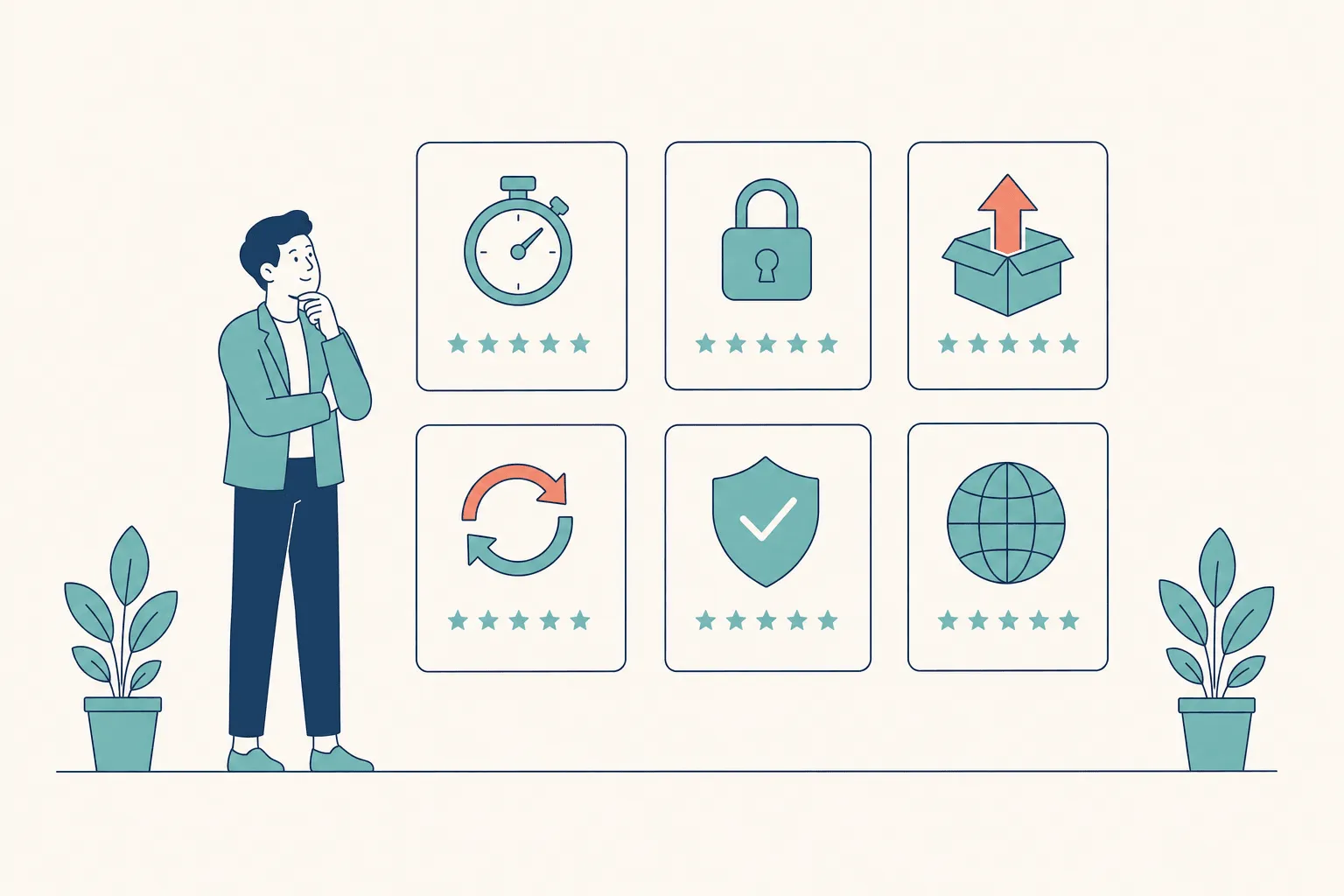
Feature lists are noise. Five questions decide whether a platform works in production:
- How fast does the check resolve? Anything slower than a page load and verifiers stop bothering. This is a trust signal, not a benchmark.
- Does it survive a printout? If a credential can’t be verified from paper, it’s still fragile. Printed programs, event handouts, and framed certificates are not edge cases.
- Is there a login wall for the verifier? A gate turns a five-second check into a decision not to check.
- How does revocation work? Credentials expire, get rescinded, and get issued in error. Deleting an image is not revocation.
- What happens if you leave? Open standards and export paths decide whether your credentials keep meaning something after a vendor change.
Practical rule: if a credential can’t be verified from a printout, by a stranger, without an account, it isn’t finished yet.
Note that verification depth and setup effort usually trade against each other. Some services are built for fast recipient sharing with lighter controls. Others are stronger on auditability but need more internal coordination to stand up. The structure of the credential matters as much as the platform behind it, which is why certificate design decisions affect how easily something can be verified two years later.
1. CertSeal
CertSeal combines design, issuance, and verification in one workflow, so issuers aren’t stitching together PDFs, spreadsheets, and manual email sends. That matters when a program needs to look professional at scale and still verify cleanly from a browser, a printed copy, or a QR scan.
Speed and portability in real use
Verification resolves in roughly 100 ms — fast enough that a reviewer never has to decide whether checking is worth the wait. Credentials verify through unique URLs and dynamic QR codes, and the check still works when the credential has been printed, which is the detail most teams discover too late.
Recipient pages are mobile-optimized and login-free, and recipients can share to LinkedIn and social channels in one tap. For alumni engagement, event follow-up, and continuing education, visibility matters as much as validation. Human-readable verification URLs keep the experience legible for employers and recipients alike.
Security, scale, and program control
The security posture covers cryptographic signing, encryption in transit and at rest, an information security program aligned with ISO 27001 and SOC 2, and DPAs covering GDPR, UK GDPR, and Singapore’s PDPA. Built-in revocation and re-issuance keep verification current when a credential has to change.
Operationally, issuers can bulk-generate personalized PDFs, PNGs, and verifiable URLs from CSV, Google Sheets, Zapier, or the REST API — see the bulk generator and the batches documentation for field mapping and error handling. Engagement analytics on opens, shares, and reuse connect credentialing to actual program reach.
The free tier covers 100 certificates per year with no credit card. Paid plans run Starter at $39/month, Plus at $99/month, and Professional at $199/month, with custom enterprise deployments for high-volume programs — the full breakdown is on pricing.
Best for: training providers, universities, L&D teams, certification bodies, and event organizers that want design, issuance, and verification in one system. Watch for: if you need a market-recognized badge network more than you need issuance control, see Credly below.
2. Credly by Pearson
Credly fits organizations that need broad market familiarity more than experimentation. Employers, training providers, and hiring teams often recognize the brand already, which cuts explanation time when a recipient sends a badge into the wild. Verification is only valuable if the person checking understands what they’re looking at.
The strength is the combination of enterprise integrations, public earner profiles, and a searchable talent directory. Issuers can automate delivery through LMS and HRIS systems while making credentials discoverable publicly. For large programs, that mix of control and visibility is hard to ignore.
The trade-off is predictability. Pricing isn’t published, so procurement work starts earlier than you’d like, and issuer terms can shift over time. Ask about governance, roadmap, and export options before committing.
If your biggest issue is internal admin, Credly helps. If your biggest issue is portability across systems you don’t control, ask harder questions about exports, access, and recipient ownership.
Best for: large enterprises and credential networks where verifier familiarity is the bottleneck. Watch for: quote-based pricing and long procurement cycles.
Credly’s site is info.credly.com. If you’re still choosing a format, digital badges vs digital certificates is worth reading first.
3. Accredible
Accredible is a common pick for organizations that issue many credentials to the same people over time. Pricing is built around unique recipients, so one learner can receive multiple credentials without the cost structure getting noisy — useful for associations, universities, and corporate L&D with repeat engagement.
The platform supports secure credential URLs, optional blockchain anchoring, Open Badges, and integrations with common LMS and testing tools, giving it a broad footprint across education and professional development. Forecasting is often easier when you’re pricing by learner rather than by certificate.
Exact pricing generally requires sales contact, and total cost can climb once enterprise requirements or add-ons enter the picture. It suits organizations with enough volume to justify a vendor conversation better than teams that want a quick, low-touch pilot.
Best for: education, associations, and corporate L&D with long-tail repeat learners. Watch for: scope creep if you only need a lean verification-first tool. A side-by-side is on the CertSeal vs Accredible page.
4. Parchment Digital Badges and Digitary
Parchment is unusual because it spans both digital badging and official academic record services. Institutions often need lightweight course credentials in one place and high-stakes transcript or diploma verification in another, and few platforms handle both cleanly.
The badging side supports Open Badges with a strong Canvas LMS relationship, so course teams can automate issuing inside the learning environment. The Digitary side handles official records — transcripts and diplomas — where verification has to satisfy institutional and often cross-border expectations.
The biggest practical trade-off is platform transition. The free Badgr and Canvas Credentials issuer model has been retired: no new free issuer accounts after 30 June 2025, and existing free accounts stopped working after 31 December 2025, with the product renamed Parchment Digital Badges on 31 October 2025. Migration planning and access continuity suddenly become part of the credentialing project.
Best for: universities and institutions that need transcripts and course credentials from one vendor. Watch for: heavier than a short-course badge program needs; enterprise subscription required post-migration.
The site is parchment.com.
5. Hyland Credentials
Hyland Credentials is for teams that care more about long-term verifiability than marketing polish. Its open-standard approach is the draw: Blockcerts compliance gives issuers a portability story that’s cleaner than lock-in-heavy platforms. If you want recipients to keep and verify credentials independently, that matters.
The workflow runs template creation through authentication and verification, so it’s end-to-end rather than stitched together. The emphasis is on tamper evidence and open-standard portability, so a credential doesn’t lose value if the organization changes vendors later. That’s a serious advantage in higher education, professional certification, and public-sector environments.
It’s also why Hyland can feel less flashy. You’re buying standards discipline, not a feature pile built around social sharing.
Best for: organizations where vendor independence is a requirement, not a preference. Watch for: quote-based enterprise pricing and a thinner engagement layer.
The product page is hyland.com.
6. VerifyEd
VerifyEd fits universities, awarding bodies, and training providers that want blockchain-backed verification without making the workflow feel technical. It uses QR-enabled checks and instant online validation, including verification from printed copies, which keeps both the recipient and verifier experience practical.
Subscription and pay-as-you-go options make it easier to align cost with issuance patterns — useful when credential volume swings across seasons or programs, and easier to evaluate for smaller teams that don’t want a procurement cycle just to test a workflow.
Blockchain anchoring is the security story, but the real benefit is how clearly it’s explained. Internal stakeholders can understand why the system is trustworthy without a separate technical briefing. API integrations, issuer and recipient portals, and printable verification round out the setup.
Best for: universities and awarding bodies that want tamper evidence with a legible verifier experience. Watch for: advanced capabilities and SLAs may sit behind enterprise contracts.
The site is verifyed.io.
7. Sertifier
Sertifier appeals to teams that want to move fast without giving up analytics and integration depth. A drag-and-drop builder, dynamic fields, and more than 100 integrations make it practical for pilots that have to fit an existing stack.
Setup doesn’t feel like a custom project. You create credentials, issue them, and verify through a unique URL or QR code, with optional blockchain anchoring for extra tamper evidence. The free plan covers 250 recipients per year with unlimited credentials, which gives smaller programs real room to test design, verification, and recipient experience before buying.
The trade-off is governance depth. SSO, SCIM, and white-label controls sit higher up the ladder, so organizations with stricter IT requirements need a more advanced plan, and enterprise capabilities are typically quote-based.
For pilot programs, a genuine free tier is the fastest way to validate the workflow before anyone argues about enterprise features.
Best for: small programs, pilots, and SMEs that need momentum. Watch for: enterprise governance is not a day-one capability. Compare on the CertSeal vs Sertifier page.
8. Virtualbadge.io
Virtualbadge.io is built for branded verification at speed. It focuses on digital certificates and Open Badges with white-label options, APIs, webhooks, and social-sharing flows — appealing to training providers and events that care about presentation as much as proof.
White-label validation pages and custom domains on paid tiers keep the user experience aligned with your brand, which matters when the certificate is part of the organization’s public identity. QR code verification plus revocation and re-issue controls supply the security layer. Documentation and getting-started guides save real implementation time for teams without a dedicated credentialing ops person.
The main caution is regional clarity. Some pricing and plan details are presented primarily in EU locales, so buyers elsewhere should confirm data residency, terms, and support expectations before rollout.
Best for: training providers and events that want a branded credential experience live quickly. Watch for: confirm region-specific legal and data residency terms early. See the CertSeal vs Virtualbadge.io comparison.
The site is virtualbadge.io. If you’re shaping the design brief first, how to make a badge covers the face and the metadata underneath it.
9. Accredify
Accredify handles more than learning badges. It’s positioned for verifiable documents and credentials across education, compliance, health, and corporate records, which helps when a program issues multiple document types and doesn’t want a separate tool for each.
The core value is traceability to source, branded verifier portals, APIs, and recipient access that persists. Recipients often need to revisit documents long after the issue date, and permanent access cuts support friction. Accredify also publishes packaged pricing examples for SMEs and supports enterprise integrations such as SAP SuccessFactors — a good sign for teams that want a documented commercial path rather than a fully bespoke conversation.
This is the vendor to inspect when the question isn’t “can we verify a badge?” but “can we verify several kinds of documents from one source of truth?” That scope can feel like overkill for event organizers or short-course providers, and the commercial focus is APAC-centric.
Best for: organizations building a document-verification strategy across mixed record types. Watch for: broader than a single credentialing campaign needs.
The site is accredify.io.
10. OpenCerts
OpenCerts is the most transparent option here, and the least turnkey. Operated by Singapore’s GovTech, it’s an open standard and public verifier that lets anyone check authenticity through the OpenCerts viewer. That makes it a good fit for standards-driven programs that value public trust and cross-border readability.
Verifiers don’t need an account, which removes friction for employers, recruiters, and institutions checking credentials from outside the issuer’s ecosystem. The open-source documentation also makes it easier for builders to inspect the model and integrate with modern verifiable credential approaches.
That transparency is both the advantage and the limitation. OpenCerts is not a commercial issuing platform, so issuers need their own infrastructure or a compatible vendor. If you want hands-off implementation, this isn’t the shortest path.
Best for: public-sector programs, cross-border verification, and teams that prefer open standards over closed platforms. Watch for: it’s a verification layer, not a credential operations suite.
The site is opencerts.io.
Feature comparison at a glance
| Platform | Core features | Verification and security | Pricing | Best for |
|---|---|---|---|---|
| CertSeal | 200+ templates, drag-and-drop designer, bulk CSV/Sheets/API, branded delivery, analytics | Cryptographic signing; instant QR and URL verification (~100 ms); revocation and re-issue | Free (100/yr), Starter $39, Plus $99, Pro $199, custom enterprise | Training providers, universities, L&D, certification bodies, events |
| Credly by Pearson | Enterprise integrations, earner portfolios, talent directory | Mature governance and high verifier familiarity | Quote-based | Large enterprises, employers, credential networks |
| Accredible | Per-recipient pricing, Open Badges, LMS integrations | Secure URLs, optional blockchain anchoring | Per-recipient; contact sales | Education, associations, corporate L&D |
| Parchment (Digitary) | Open Badges and Canvas support, transcripts and official records | Official academic record verification | Institutional; paid issuer plan required | Universities, governments, transcript verification |
| Hyland Credentials | Blockcerts-compliant, no-code issuance, open-standard portability | Strong tamper resistance and open standards | Quote-based enterprise | Orgs prioritizing vendor independence |
| VerifyEd | Blockchain anchoring, QR verification, APIs and portals | Instant QR and online checks, blockchain tamper evidence | Subscription and pay-as-you-go | Universities, awarding bodies, training providers |
| Sertifier | Drag-and-drop design, 100+ integrations, analytics, free tier | URL and QR verification, optional blockchain anchoring | Free (250 recipients/yr), Pro $250/yr, enterprise custom | Small programs, pilots, SMEs |
| Virtualbadge.io | White-label validation pages, REST API and webhooks, revocation | Verifiable pages and QR codes, re-issue controls | Paid plans, EU-focused | Training providers and events wanting branded pages |
| Accredify | Tamper-proof documents, branded verifier portals, API suite | Instant verification with traceability to source | Packaged SME examples, quote-based enterprise | APAC orgs, multi-document verification |
| OpenCerts | Open-source anchored standard, public verifier viewer | Public proof, no-login verification | Free viewer; issuers supply infrastructure | Public sector, standards-driven programs, developers |
The three verification paths that have to work
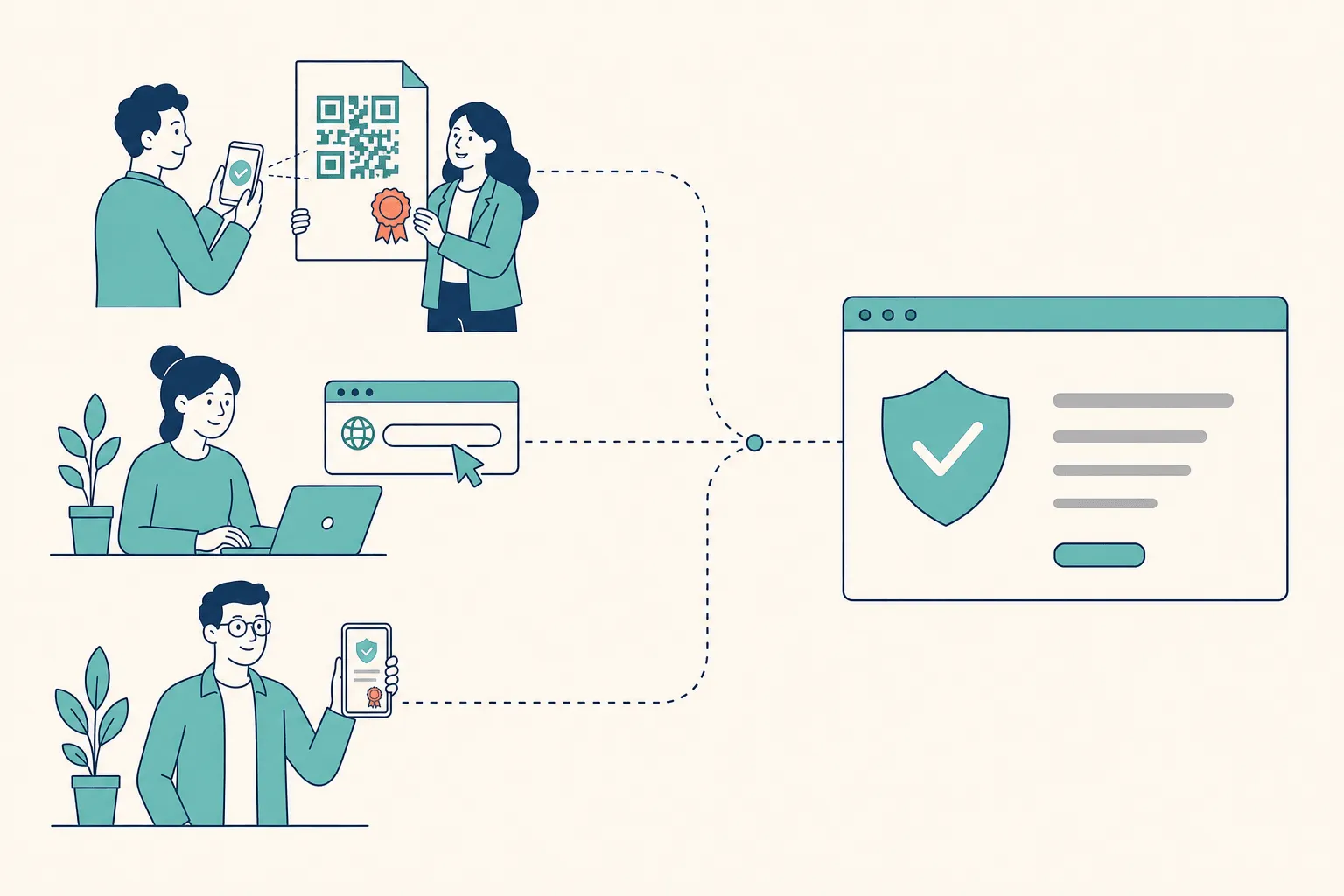
Whatever you pick, the same credential has to resolve through three routes, and they fail differently.
The scan. Someone points a phone at a QR code on a printed certificate or an event handout. This is where cropped codes bite. The QR specification, ISO/IEC 18004, requires a quiet zone of four modules on every side to decode reliably. Trim it to fit the layout and scanners fail — usually only on the printed copies nobody tested.
The typed URL. Someone is looking at a photocopy, a scan, or a screenshot with a dead link. Keep the credential ID readable next to the code, and keep the verification URL short enough that a human can retype it without errors.
The shared link. A recruiter opens it from a feed or an email, on a phone, without an account. Mobile now accounts for more than half of global page views, so the verification page is a mobile page first.
All three should land on the same record, showing achievement, recipient, issuer, issue date, and current status in plain language above the fold. That last field is what makes revocation meaningful — the W3C’s Bitstring Status List exists precisely so a verifier can tell whether a credential has been revoked or suspended without contacting the issuer.
A verification page is not a landing page. It’s the moment your credential either holds up or it doesn’t.
How to run a pilot that tells you something
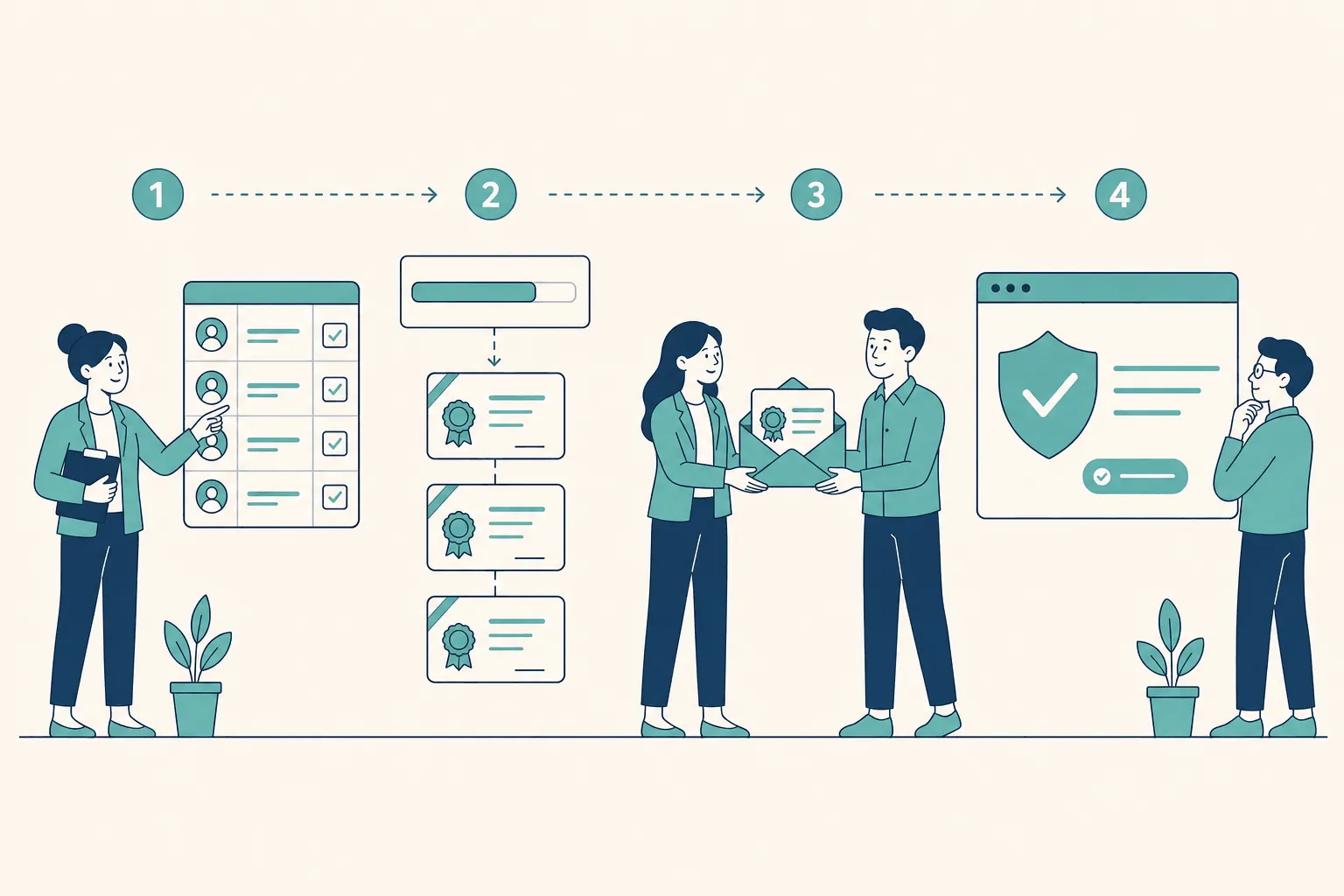
Vendor demos are optimized. Your pilot shouldn’t be. Pick one program, one verification path, and one outcome you can measure.
Set the pilot up in an afternoon
- One cohort, real data. Fifty recipients from an actual program, not test rows. Include one very long name, one accented name, and one missing optional field.
- One design, tested small. Build it once in the certificate maker or start from the template library, then check it at thumbnail size and in grayscale before issuing.
- One issuance route. Spreadsheet upload or API — pick the one you’d actually use in production, not the one that demos fastest.
Then run these five checks
- Time the verification from a cold browser on mobile data. Not on your office wifi with the page cached.
- Print one and scan it. From paper, in normal room lighting, with a standard phone camera.
- Hand a link to someone outside the org and watch them check it without instructions. Where they hesitate is your real UX report.
- Revoke a test credential. Confirm the page changes immediately, and confirm you know exactly who is allowed to do it.
- Break something on purpose. Bad email, duplicate row, malformed date. See whether the platform surfaces the failure or swallows it — webhooks are how you get that signal into your own systems.
Measure the right thing afterward
Delivery open rate tells you the send worked. Share rate tells you recipients felt safe claiming it. But the metric that matters is verification traffic from outside your organization — that’s the only number proving the credential is functioning as a credential rather than sitting in an inbox as a nice picture.
Operational rule: if nobody outside your org ever loads the verification page, you bought a design tool, not a verification service.
Frequently asked questions
What is a credential verification service?
A platform that issues credentials tied to a live, issuer-controlled record, and gives anyone a way to confirm that record’s authenticity and current status. The distinguishing feature isn’t storage or design — it’s that a third party can check the claim without contacting you.
How fast should credential verification be?
Fast enough that nobody decides to skip it. Sub-second is the practical bar; CertSeal resolves in around 100 ms. Anything that feels like a wait converts a routine check into an optional one, and optional checks don’t happen.
Do I need blockchain for credential verification?
Usually not. What you need is cryptographic signing plus a live status record, so a credential can be checked for tampering and for revocation. Blockchain anchoring is one way to publish tamper evidence and it can help with vendor-independence arguments, but it doesn’t solve revocation on its own and it isn’t a prerequisite for trustworthy verification.
Can printed certificates be verified?
Yes, if the design carries a QR code and a human-readable credential ID with enough quiet zone around the code to scan reliably. Verify from an actual printout during your pilot — this is the single most common thing teams discover after launch instead of before.
What’s the difference between verifying a badge and verifying a certificate?
The proof layer is the same; the format and context differ. Badges are granular and stackable, certificates are formal and comprehensive, and mature programs issue both. Digital badges vs digital certificates walks through the decision.
How much do credential verification services cost?
The range is wide. Free tiers exist for pilots (CertSeal covers 100 certificates a year, Sertifier 250 recipients a year). Published mid-market plans run roughly $39 to $199 a month. Several vendors on this list — Credly, Hyland, Accredible, and Parchment among them — are quote-based only, so budget procurement time as well as licence cost.
What happens to my credentials if I switch platforms?
That depends entirely on what you asked before signing. Look for Open Badges or W3C Verifiable Credentials output, a bulk export path, and clarity on whether existing verification URLs keep resolving. The Parchment free-tier retirement is a useful reminder that this question is not hypothetical.
Choosing well
Start from the workflow, not the feature list. If you need issuance, verification, analytics, portability, and control in one place, CertSeal handles all five without integration work. If your verifiers already recognize a market-known network, Credly shortens adoption because less education is needed on the receiving end. If long-term independence and open standards outrank branded convenience, look hard at Hyland Credentials and OpenCerts.
Judge security and portability together, because each one can hide a failure in the other. A platform can be secure and still unusable if every verifier has to log in. It can be effortless to share and still weak if revocation is clumsy, because credentials do change. The better tools keep the check simple for the verifier, preserve control for the issuer, and leave the recipient with something that still works outside the platform that made it.
Then pilot before you commit. One program, one verification path, one measurable outcome — and a printed copy you actually scanned.
CertSeal brings design, issuance, instant verification, and analytics into a single platform, which is what makes it practical for teams that need credential verification to work in daily use rather than on a feature sheet. Browse the template library, build the design in the certificate maker, and issue your first cohort with the bulk generator.
Start free with CertSeal — 100 verifiable certificates a year, no credit card.
Related reading
- How to issue digital certificates in 2026 — delivery, verification, and analytics end to end
- How to design a certificate that looks professional — hierarchy, contrast, and the verification block
- How to make a badge that recipients actually trust — the metadata layer underneath the artwork
- Digital badges vs digital certificates — which format to issue, and when to issue both
- How to launch a certification program in 2026 — the program design behind the credential
Keep reading
Certificates
Completion of course certificates: a practical issuer guide
What a completion of course certificate actually claims, the five fields it needs, static PDF vs verifiable credential, and how to run an issuance process you can still defend two years later.
Certificates
What is a certificate? Types, uses, and how verification works
A certificate is issuer-signed proof of a defined achievement. Here's what it actually claims, how completion, achievement, and competency differ, and why verification decides whether it counts.